
NOTICE: The purpose of adding the account is to activate the subscription across all accounts on your console! Please do NOT play games on the provided account and instead only play on you ‘Personal Account” only, we will not be responsible in case you lose any of your game progression.
– PS5 Activation

 Button on your controller and then Press on your Profile Picture


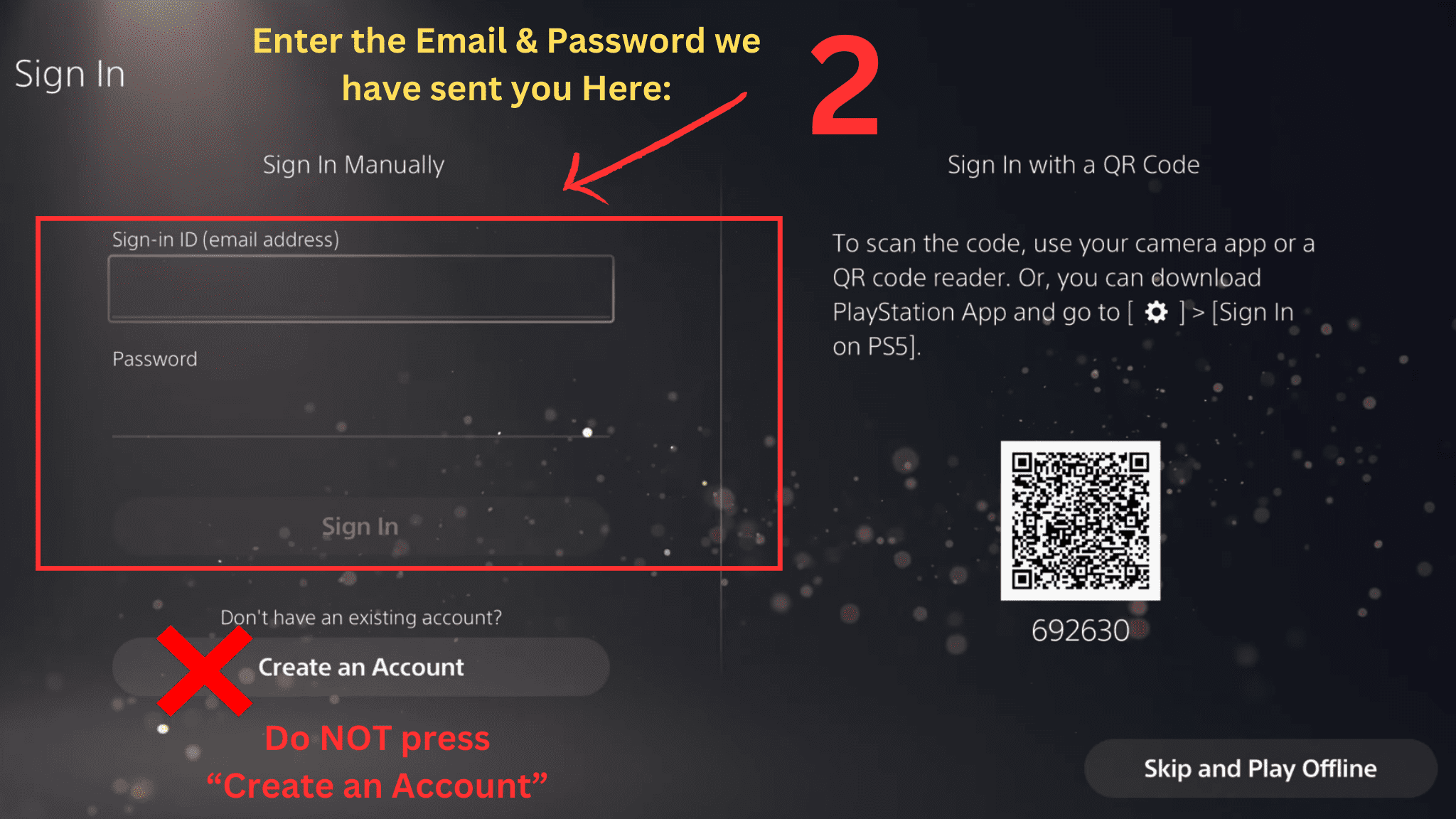
NOTE: DO NOT PRESS “Create an Account”! the account already exists and is created.

- Make sure ‘Console Sharing and Offline Play’ is Enabled by going to: SETTINGS > USERS AND ACCOUNTS > OTHER > CONSOLE SHARING AND OFFLINE PLAY > SELECT ENABLE, it will show ‘Disable‘ if it’s already Enabled, no need to change anything in that case.
After that just switch to your Personal account and start playing online, keep in mind you need to download the Playstation Plus catalogue games through the provided account first, as soon as the download starts, switch over to your personal account and play it. No need to press “Log Out” on the account we provided, because if you do you will be asked to provide a verification code again.
– PS4 Activation
 Button on your controller and then Press on your Profile Picture


NOTE: DO NOT PRESS “Create an Account”! the account already exists and is created.

Make sure ‘Activate as Your Primary PlayStation 4‘ is Activated by going to: Settings > Account Management > Activate as Your Primary PlayStation 4. Select Activate. it will show ‘Deactivate‘ if it’s already Activated, no need to change anything in that case.
After that just switch to your Personal account and start playing online, keep in mind you need to download the Playstation Plus catalogue games through the provided account first, as soon as the download starts, switch over to your personal account and play it. No need to press “Log Out” on the account we provided, because if you do you will be asked to provide a verification code again.